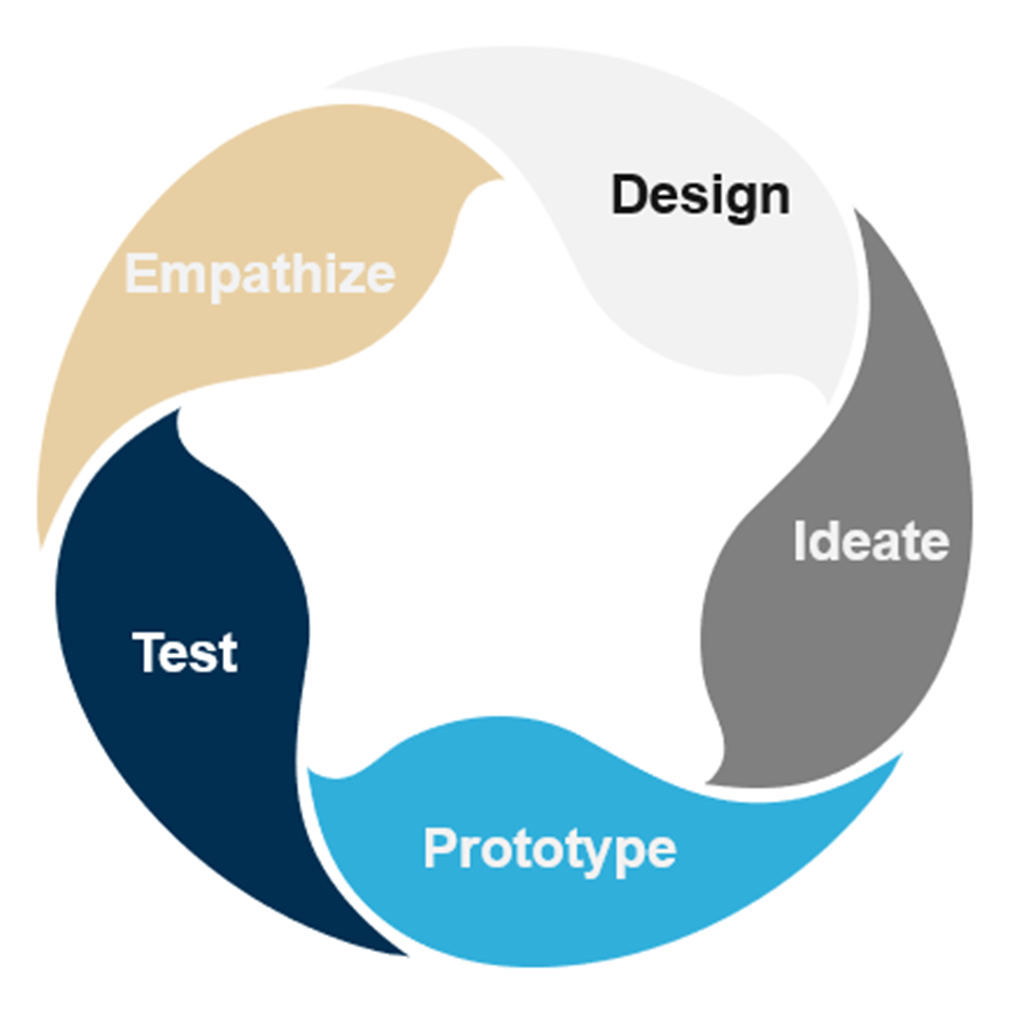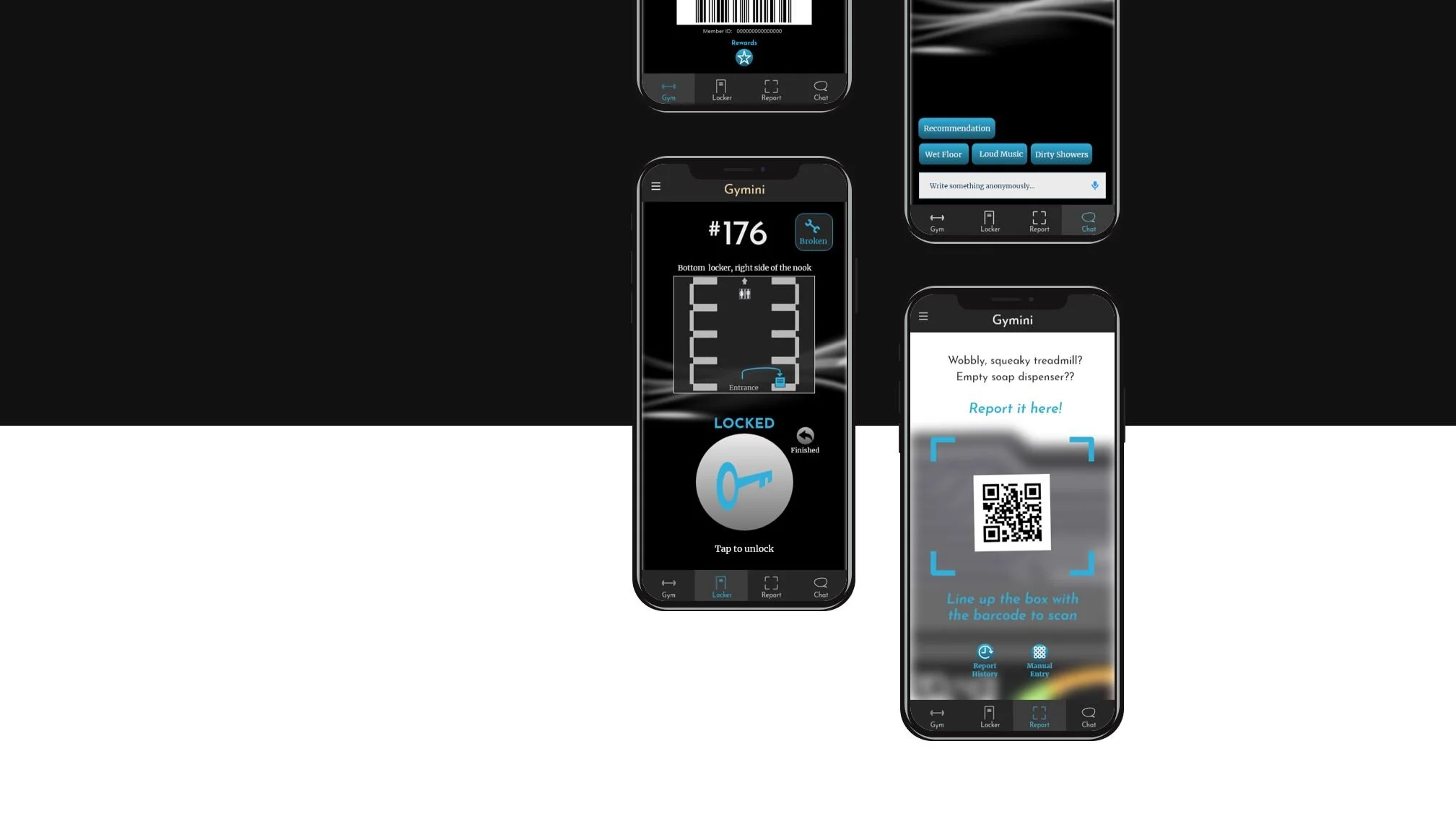
Gymini
An Original Mobile Design
Gym locker rooms can be a crowded mess. Cramped spaces, opening and closing taken lockers, the maze of identical doors, remembering your lock, key, and code…
As an exercise in UX design (and also cathartic relief), I explored what a more efficient, friendlier system might look like. I wanted to create a frictionless experience.
So began my journey in designing this prototype, Gymini, from the ground-up.
The Team
Drew Hopkins (Me) - UX Researcher, Content Strategist, Visual/Interaction Designer
Tools
MarvelPOP, XD, Invision
Tactics
Surveys, interviews, competitive analysis, affinity diagrams, empathy maps, personas, user flows, wire flows, lo-fi mocks, hi-fi mocks, usability testing
Define and Empathize
I had my particular grievances with the locker room. And I’d seen others frustrated too. As one man fiddling with a combo lock said - “These things just aren’t designed for humans!”
But I needed concrete data. First, I wanted to know more about my target audience and the context of the greater whole.
Research Questions
How does the locker room fit into the overall gym experience?
Do locker room frustrations relate to any other pain points?
How are frustrations communicated to staff?
What does staff do to address member issues?
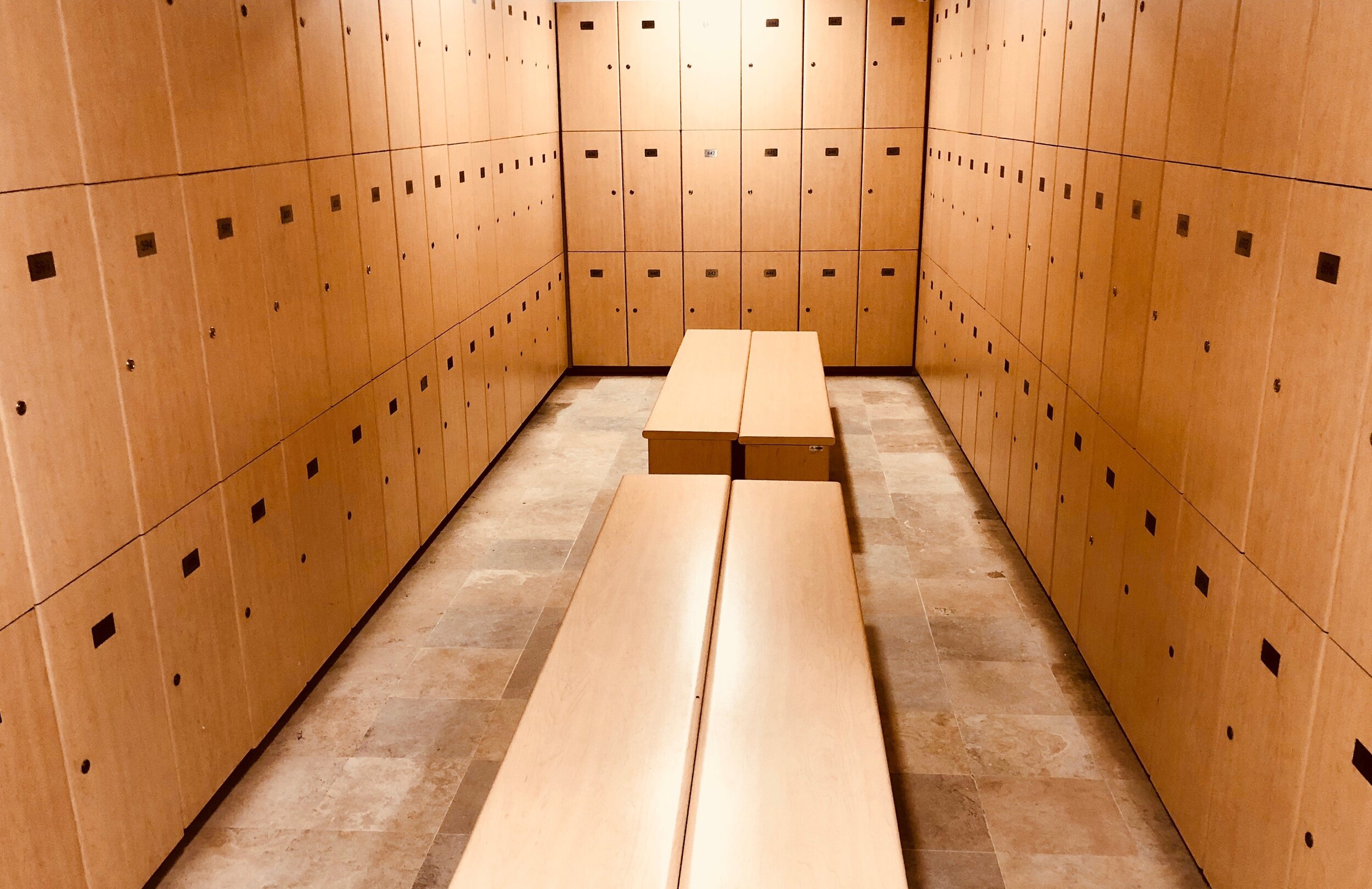
“These things just aren’t designed for humans!”
Canvasing the Problem
I did some digging to get more familiar with my population. I gained foundational knowledge through blogs, articles, and scientific studies.
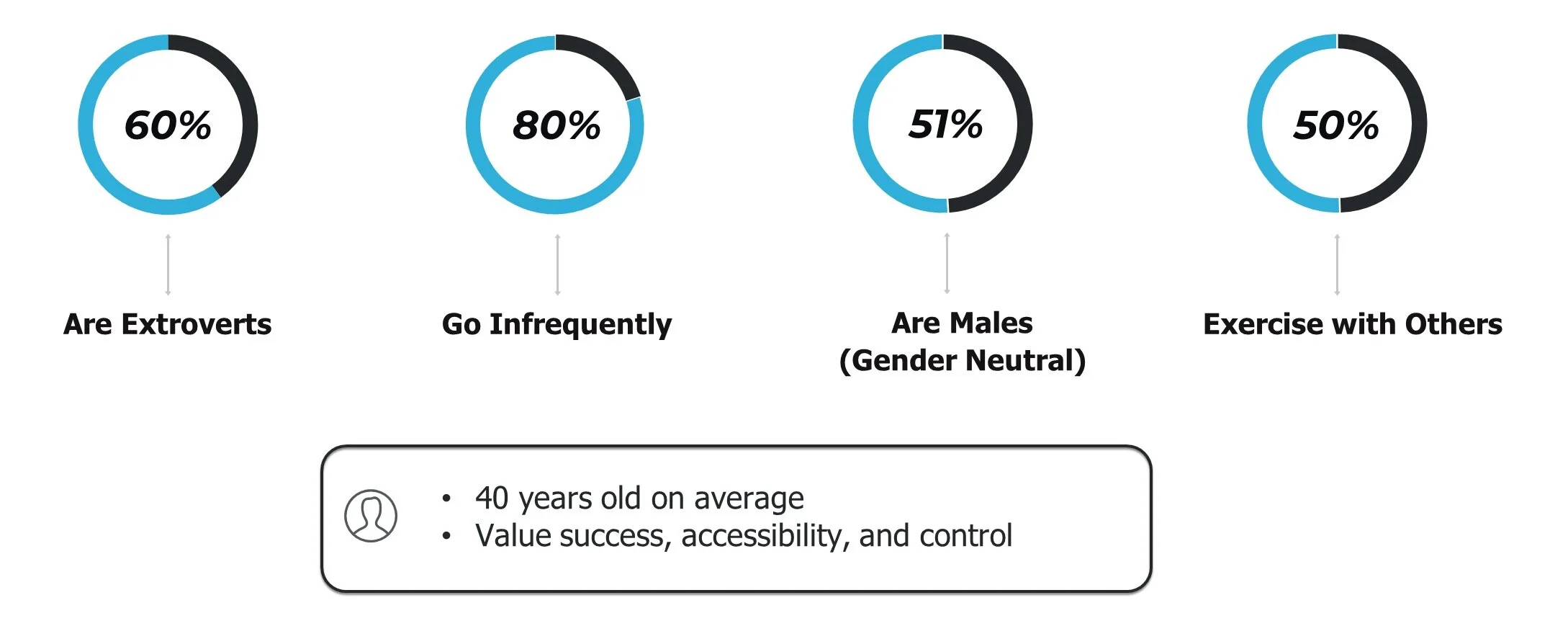
Surveys
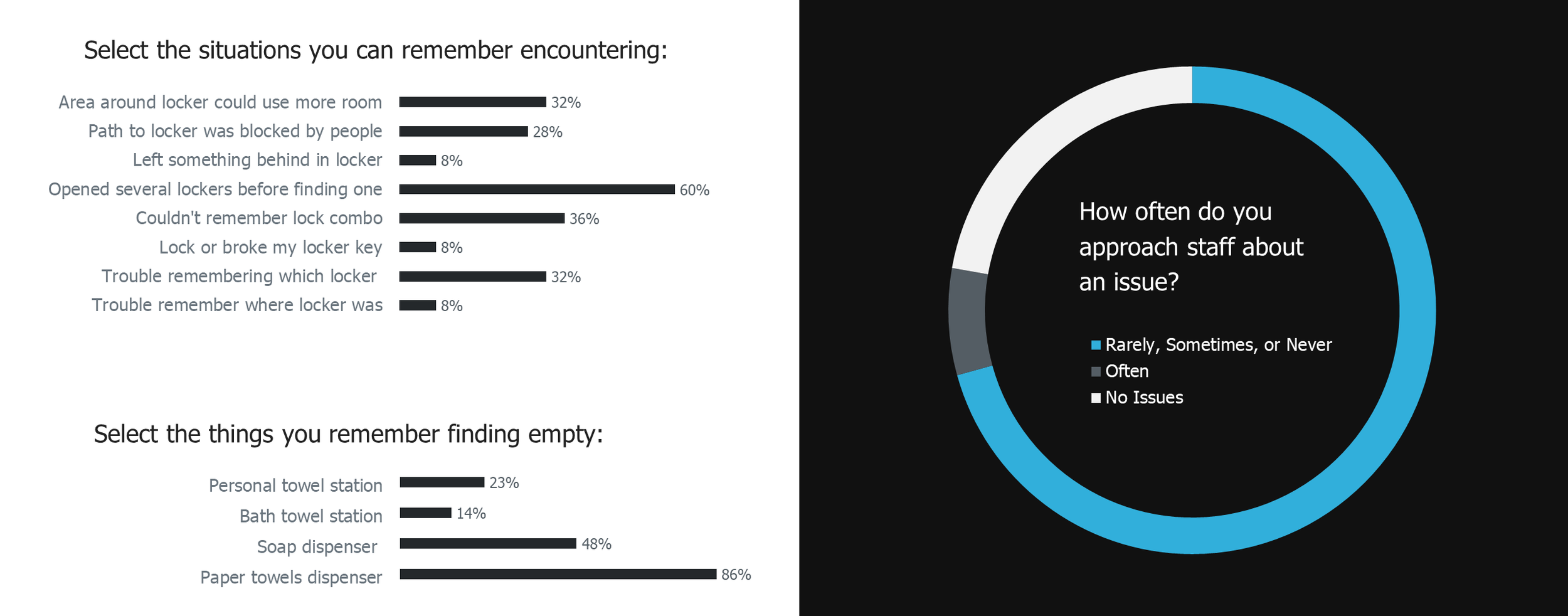
With a sense of my users, I sent out a brief survey to gym members, probing for pain points at the gym and also the locker room specifically. A few days later I had some interesting results.
Many reported at least one issue with the gym, and one or two issues with locker rooms, but the issues themselves were not consistent.
Moreover, gym members seemed hesitant to inform the staff of issues they encountered.
Interviews
The surveys suggested deeper issues, so I wanted to get the full gym experience directly from the user’s perspective. I chose candidates with different levels of fitness and types of complaints from the survey for a range of insight. For counterbalance, I briefly interviewed several gym managers about member complaints and gym logistics as well.
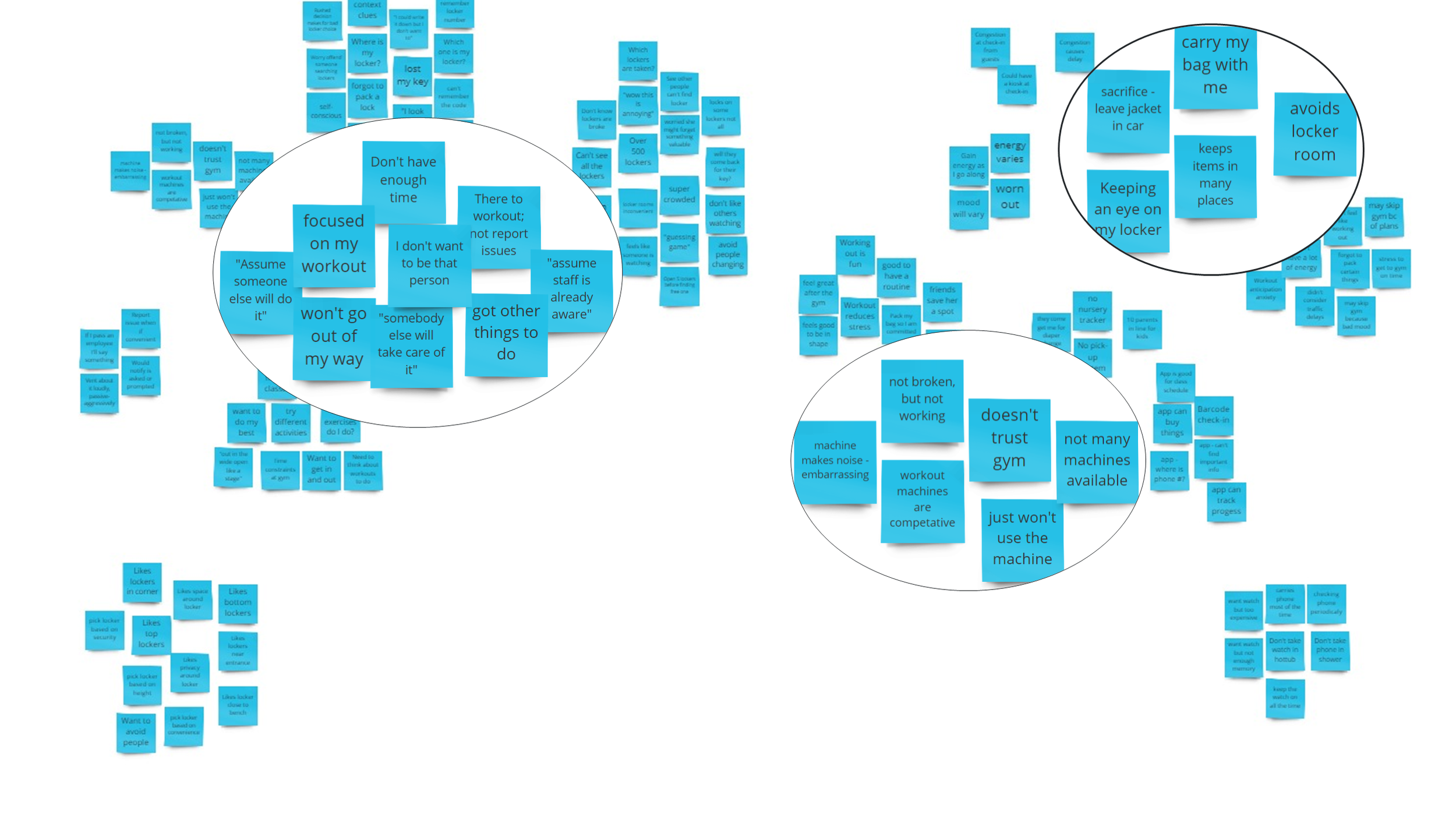
To extract as much insight from the interviews, I transferred key concepts and quotes from to post-its, then organized these into categories.
I realized…
1. Staff resupply rounds were periodic and not proactive
2. Maintenance checks lacked depth compared to member experiences
Members reported many frustrations - with the locker rooms, gym equipment, and amenities. But they gave little feedback to staff so management was mostly unaware. The interviews suggested a philosophical gap between the members and staff.
Gym members’s suppressed frustrations were a huge opportunity! Communication was a root problem so I extended the focus of the project to include it.
Empathy Maps & Personas
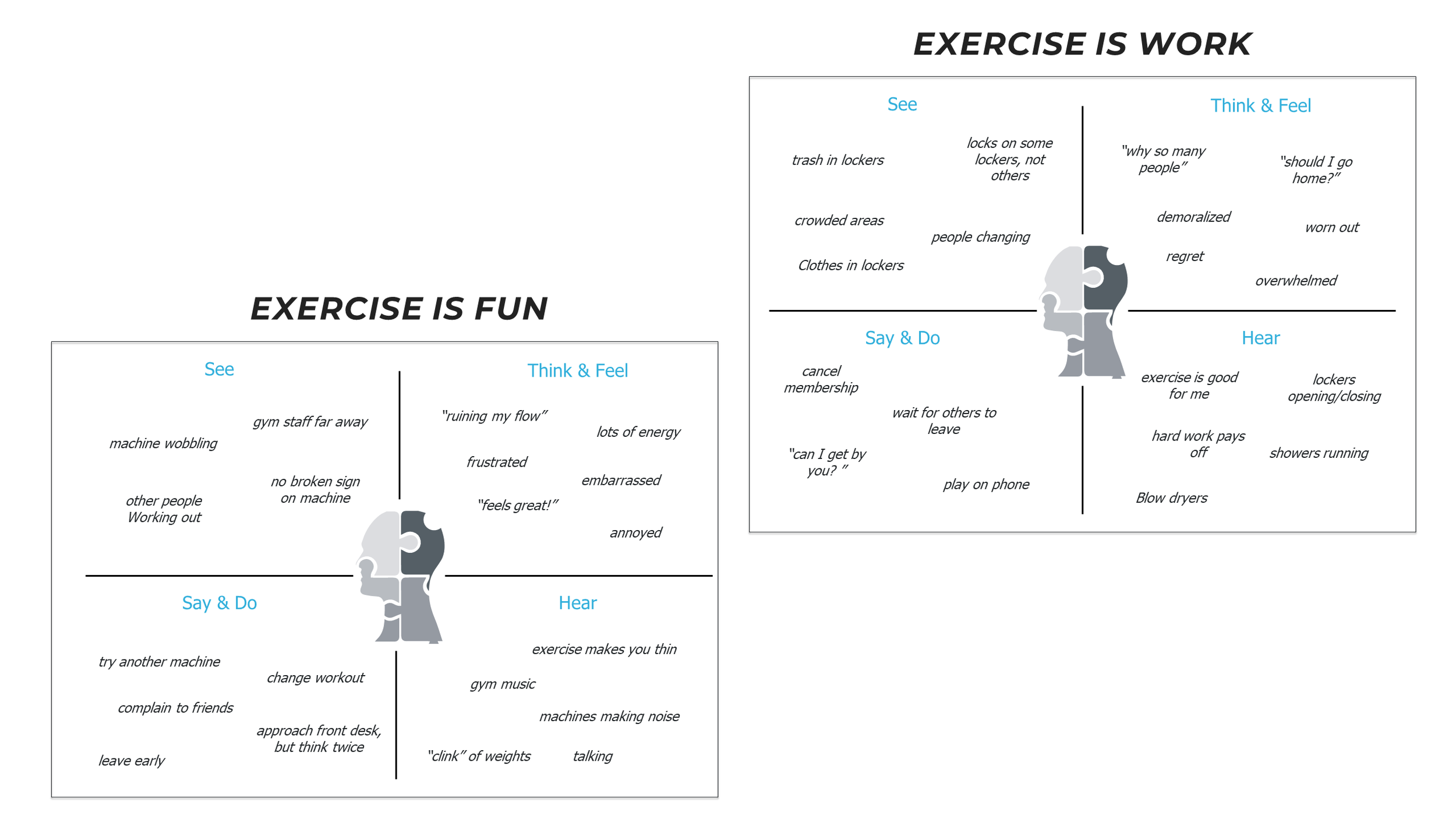
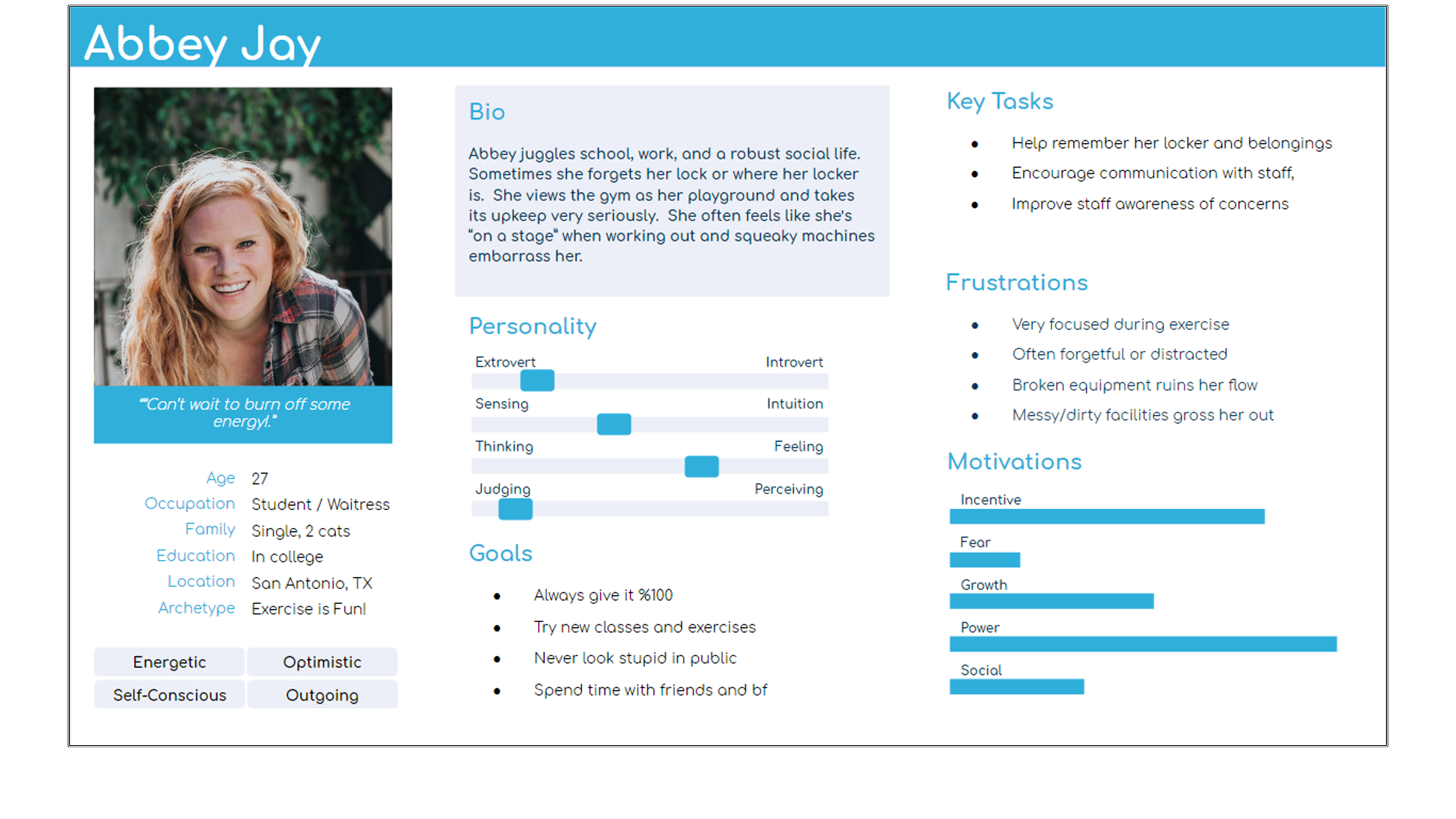
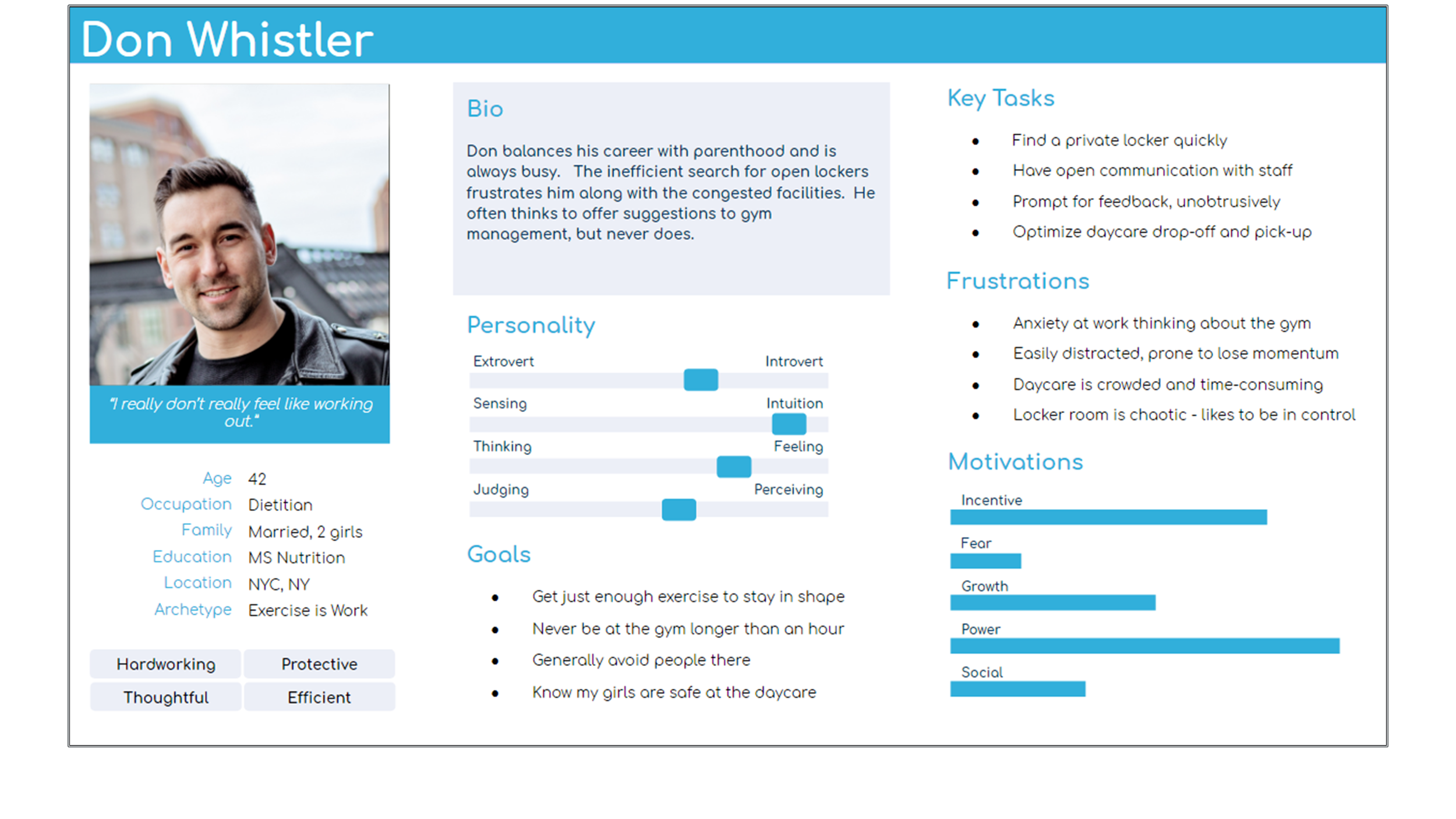
I was ready to move towards a solution, but I needed to keep my target audience at the center of focus. So I condensed all of the research data into empathy maps - easy, manageable summaries of typical users.
I felt gym-goers were chiefly split into two groups so I made maps for each. To make things more tangible, I then refined the empathy maps into full-fledged personas.
User Stories
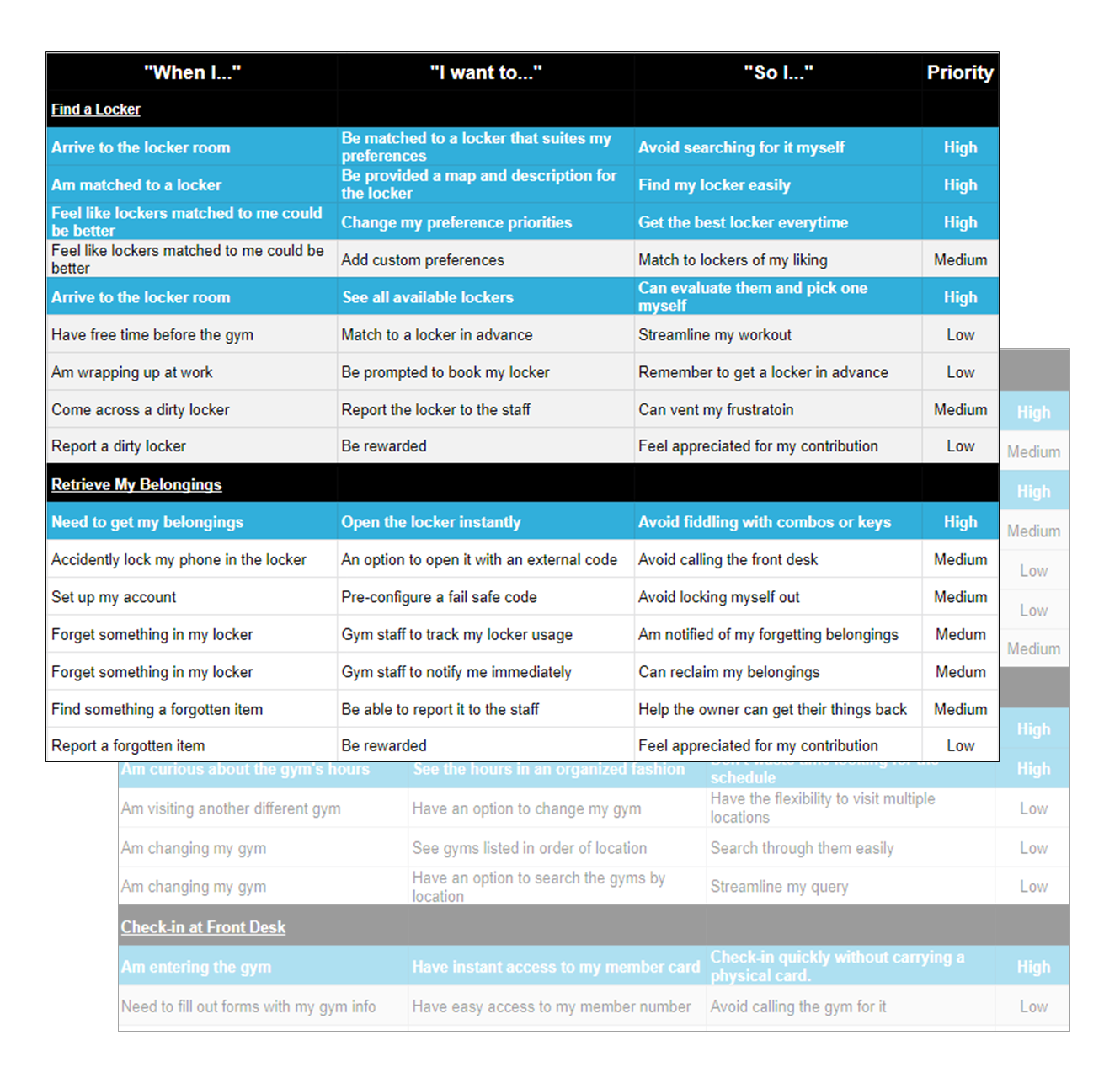
I had a solid understanding of my users, but I wanted a precise picture of their needs. Exactly what should the product do for them?
Referring to my personas and research data, I imagined the contexts surrounding the biggest pain points for users. Within each, I listed user goals and motivations. I then prioritized these needs in terms of their pay-off. The high priority needs I identified as the ones I MUST satisfy to create a Minimal Viable Product (MVP).
Hypotheses
Electronic lockers might improve storing and retrieving items
A chat system could might communication between members and staff
An equipment scanner might improve communication and gym upkeep
Competitive Analysis
How could users find an ideal locker quickly and recall it later when leaving? Electronic lock systems sprung to mind and I delved into research:
Disney and Universal Studios support keyed wristband systems that track user data.
Marriott and Hilton support keyed mobile apps which provide reminders, check-in, and hotel maps.
Open Key installed lock systems that worked with its app or integrated into apps of larger companies – a functional business model my app might mirror.
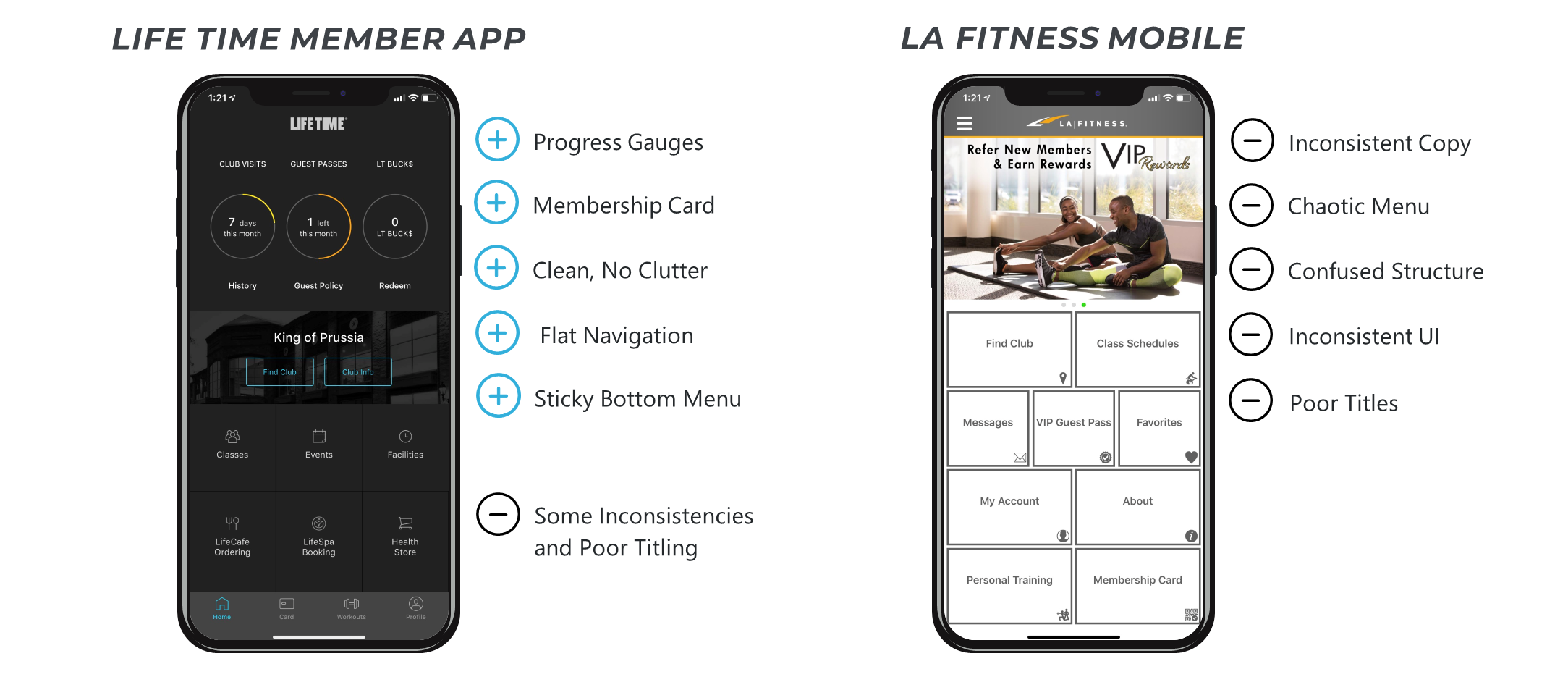
I also needed to discover how current technologies addressed communication and gym upkeep. What were their strengths and weaknesses? Where were opportunities? I evaluated the apps of Lifetime Fitness and LA Fitness as well as analyzing the best and worst categories of their Apple Store reviews.
Architecture
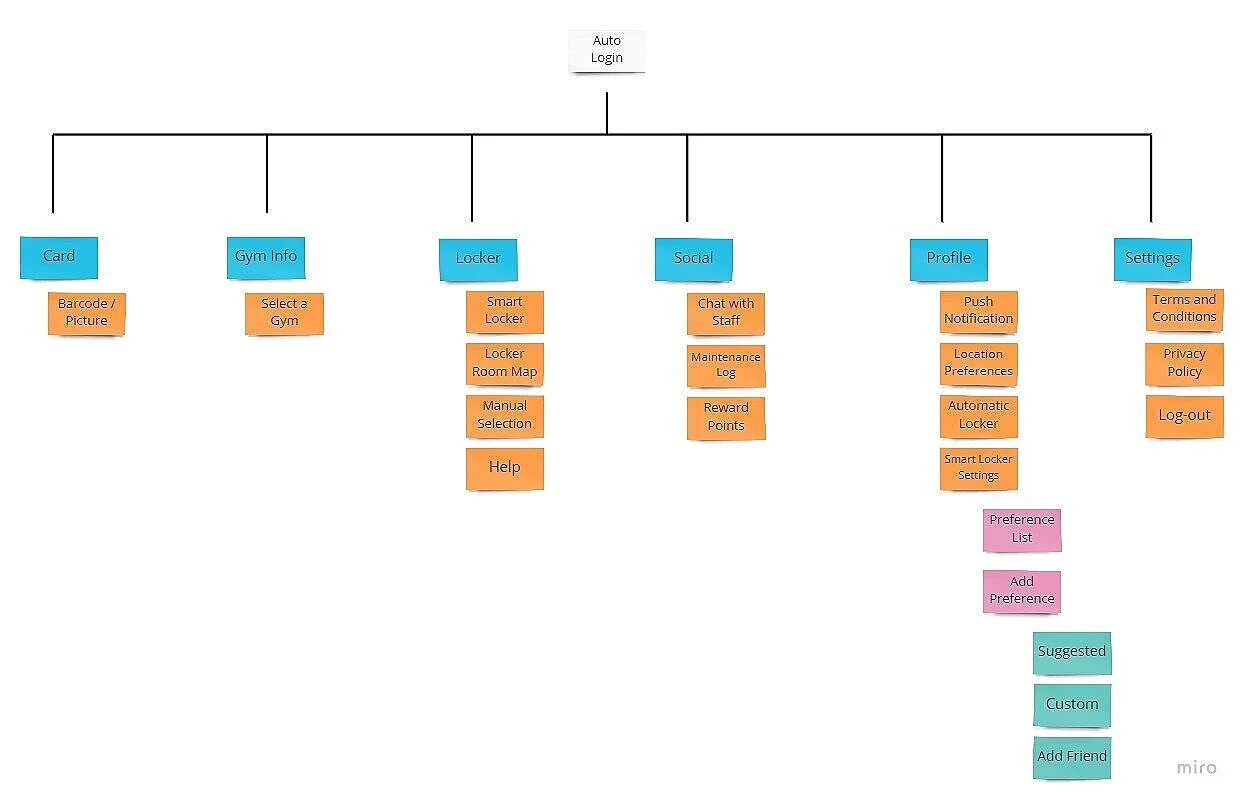
I had a lot of ideas - I sketched what some functionality and organization of might look like in a sitemap. Users needed a locker system that was helpful and personalized. I added content for automatic matching, a map, and preferences. From the research, I knew members needed encouragement to communicate so I thought to include a rewards component. Drawing from the competitive analysis, I added primary screens for member cards and gym info.
User Flows
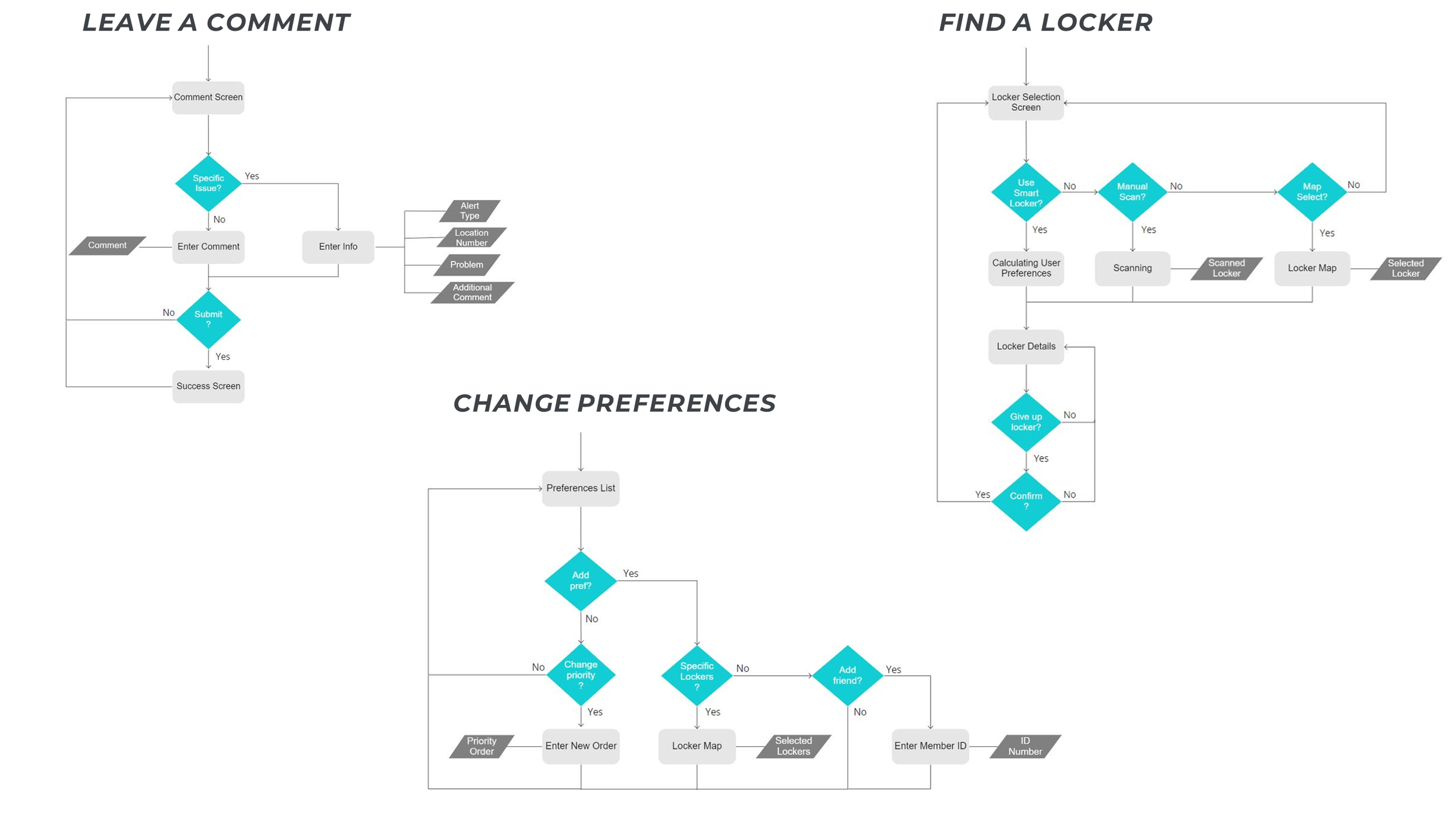
I wanted to troubleshoot the inner logic of more complicated processes before crafting mock-ups. I parsed out possible sequences and polished them into User Flow diagrams.
Lo-Fi Mocks
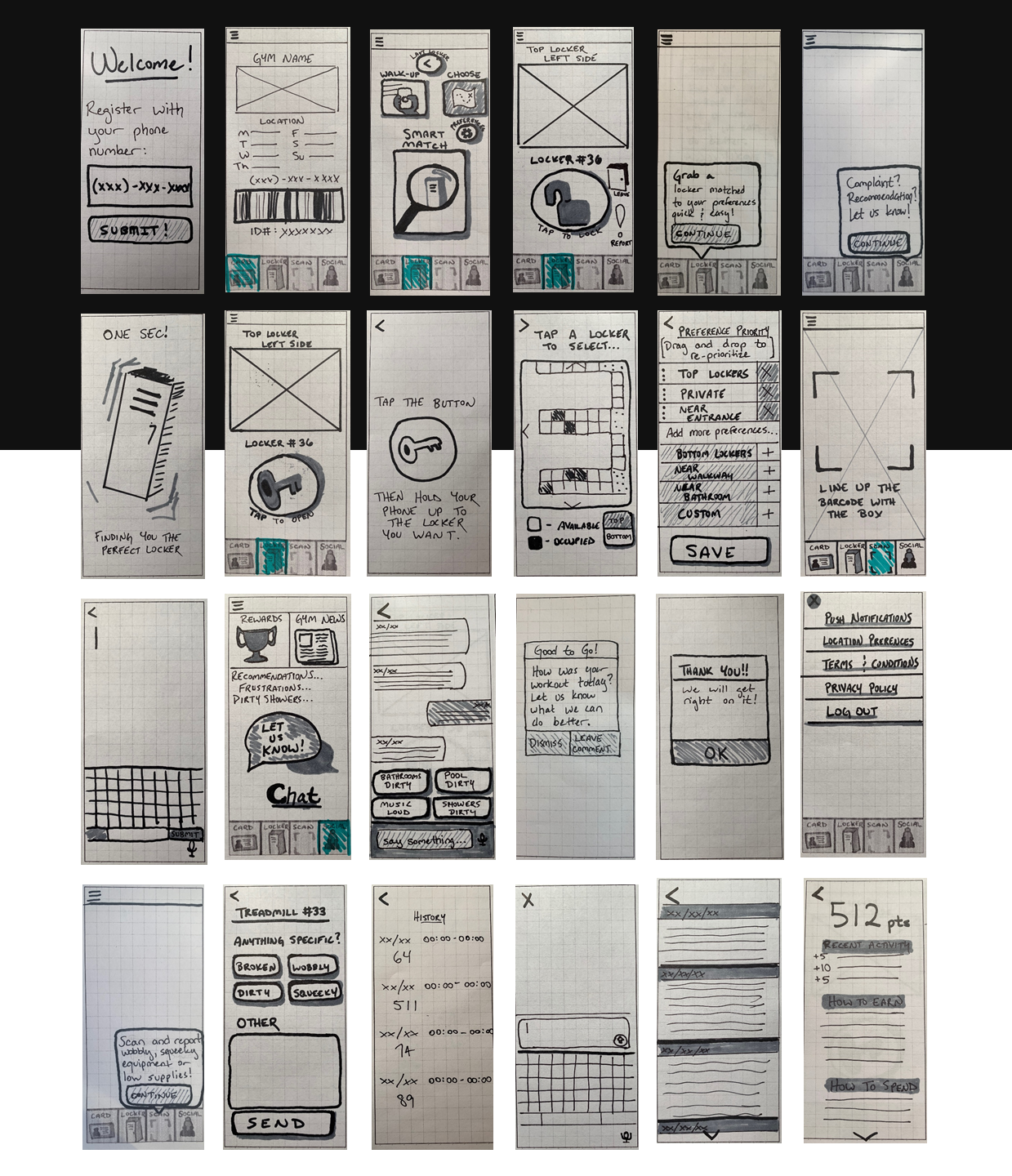
To iterate and learn quickly, I made hand-drawn sketches for screens critical to the MVP. Informed by the user stories, sitemap, and user flows, I decided on four uses cases.
Use Cases
View Gym: displayed basic gym info and member ID.
Find Locker: supported finding and syncing to lockers
Make Report: reported equipment by scanning QR codes
Be Social: contained news alerts, rewards, and a chat feature
Guerrilla Testing
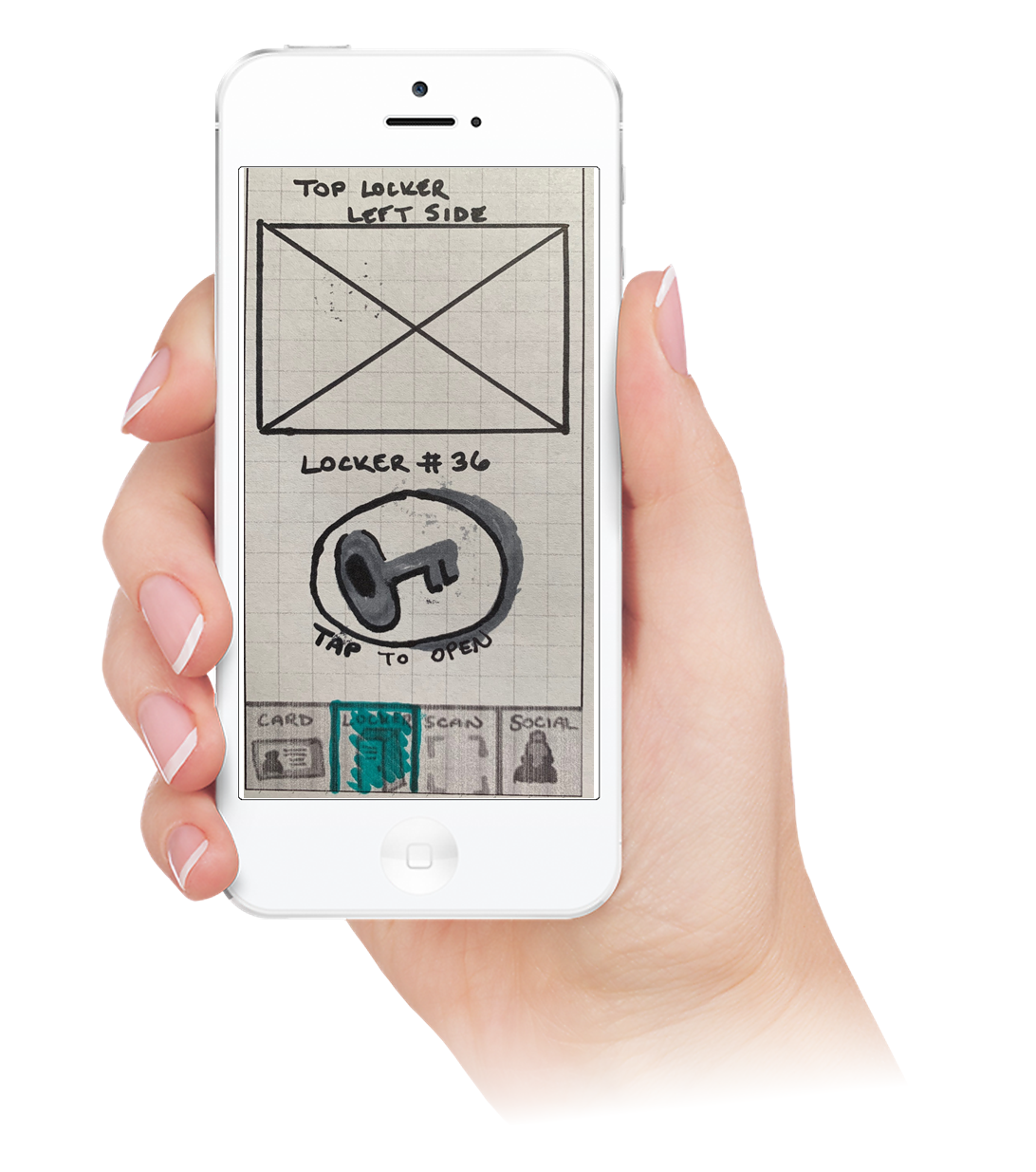
I immediately went into testing to get feedback. I recruited 5 random passersby to interact with the sketches through Marvel POP.
Major Opportunities:
Structure of “Be Social” confused users
Purpose of “Make Report” was ambiguous
Several icons and titles confused users
“Find Locker” overwhelmed users, guidance was needed on advanced options
Wire Flows
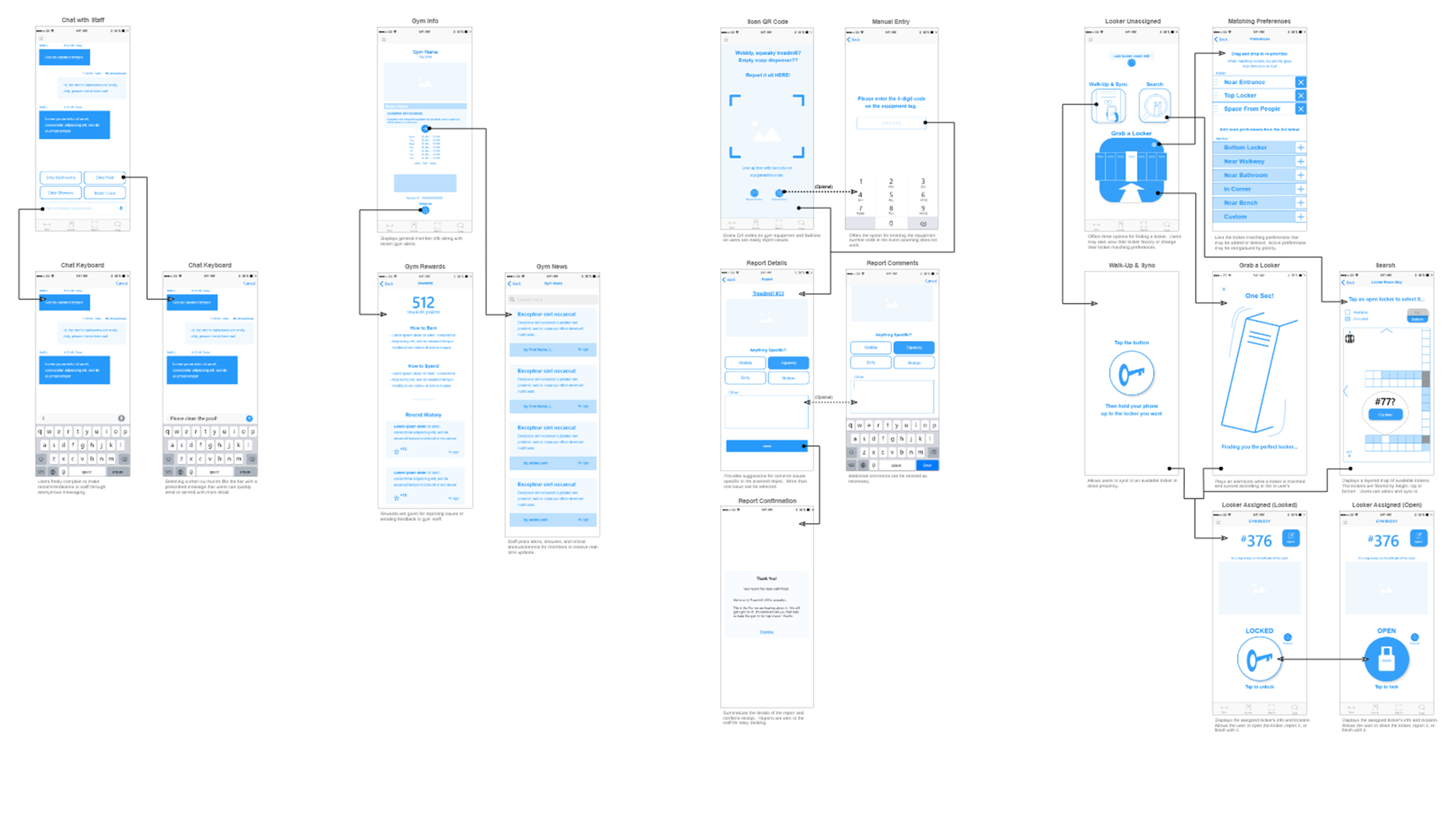
With the lessons from testing, I was able to advance AND refine the design at the same time. I redesigned the structure of the app and made revisions to titling and iconography in a series of wireframes. To get a visual picture of the new layout, I experimented with the wireframes in a diagram and eventually built this into a set of wire flows.
Major Improvements
“Report” renamed to “Scan” for clarity
Features of “Social” relocated to “Gym” to improve recognition
“Social” stripped to “Chat” to streamline functionality
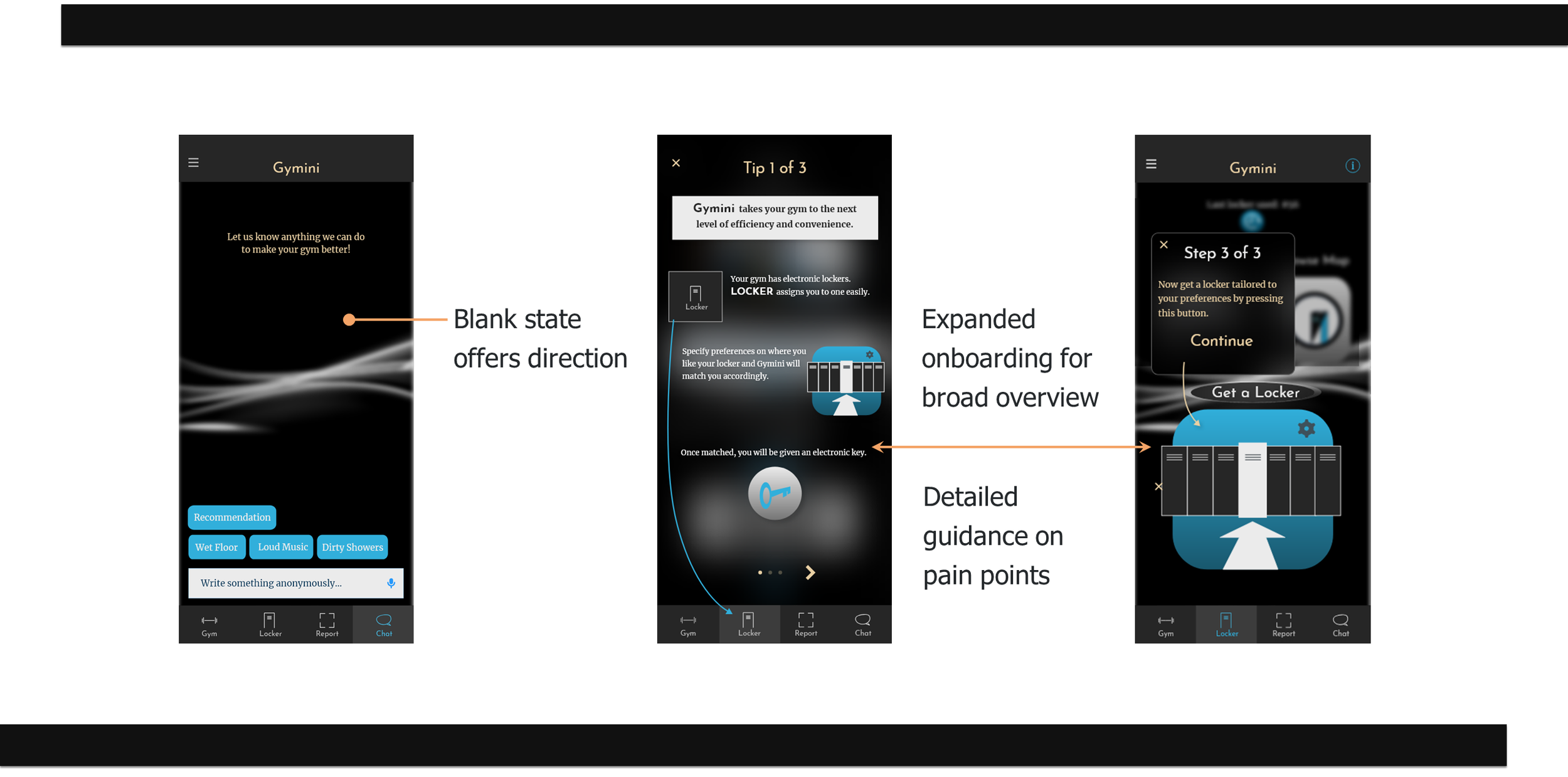
On-boarding tips added to “Locker” to reduce complexity
Style Guide
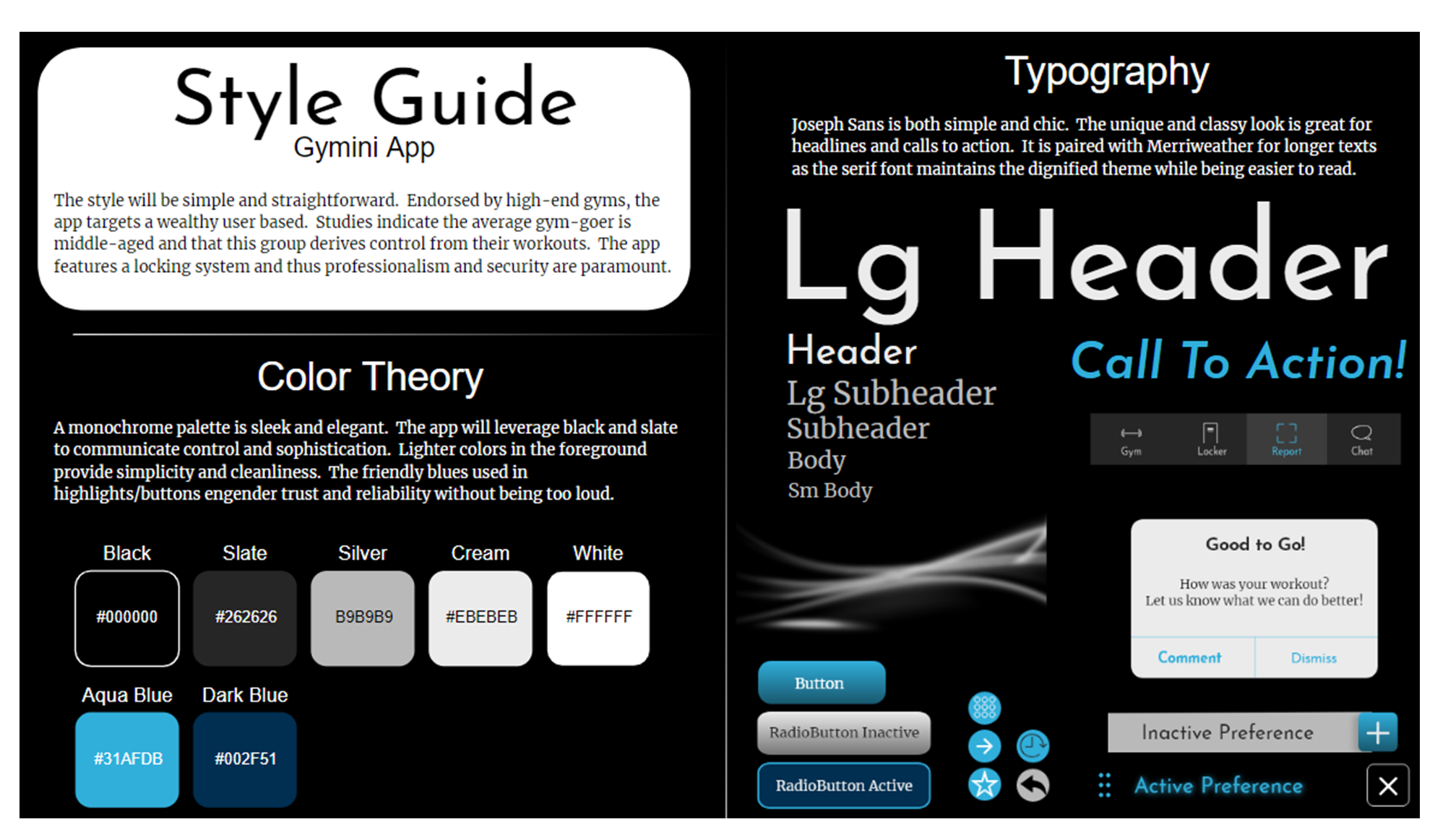
Since the app would feature a cutting-edge lock system, I wanted the visual design to appeal to wealthy clientele - I opted for a chic, simple color scheme and chose an elegant typeface. Research suggested users would value accessibility and control so I applied a dark scheme accented by blues to convey feelings of seriousness, trust, and reliability.
Hi-Fi Mocks
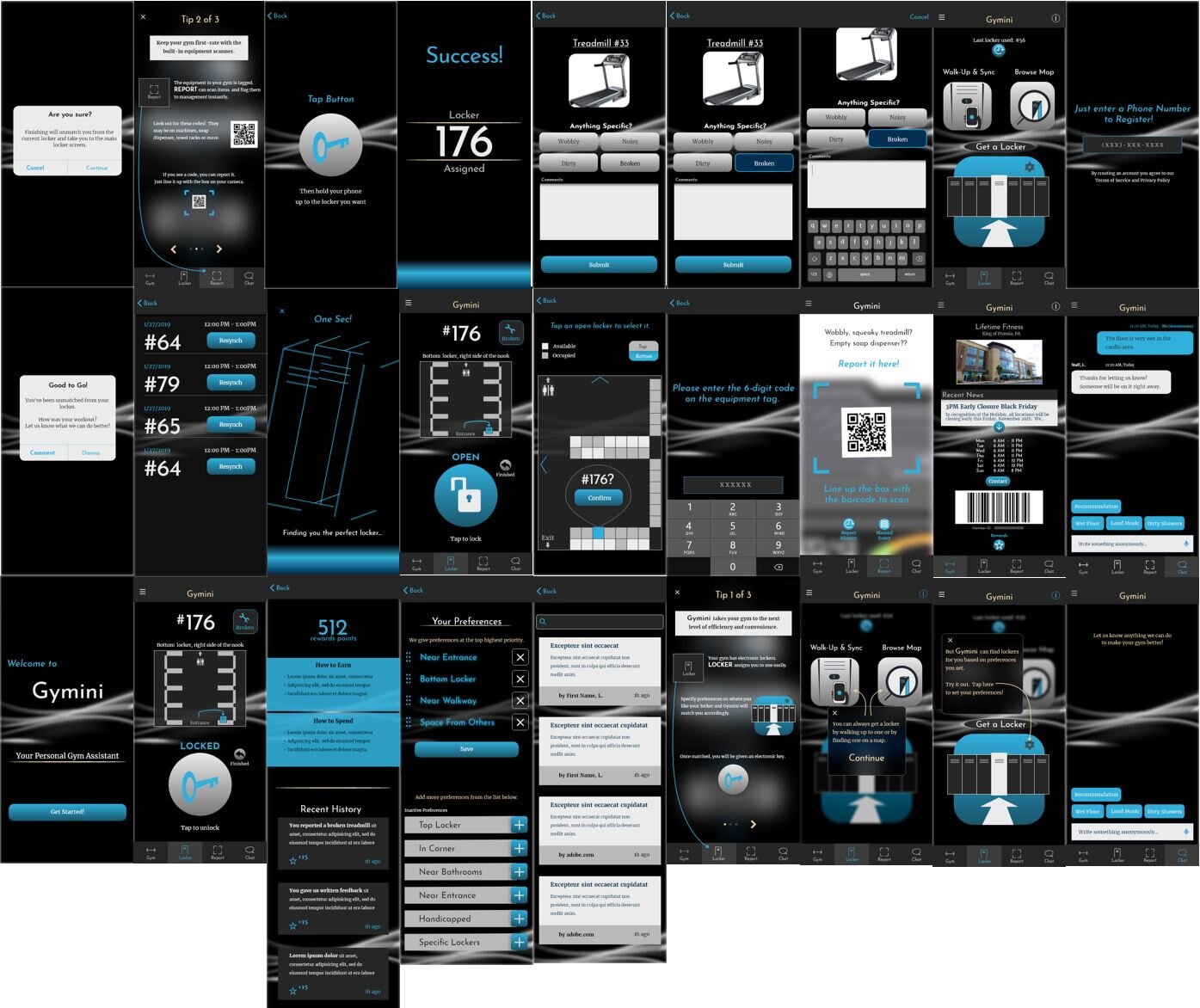
For realistic testing, I applied the color palette and typography to enhance the wireframes into a high-fidelity prototype.
Usability Testing
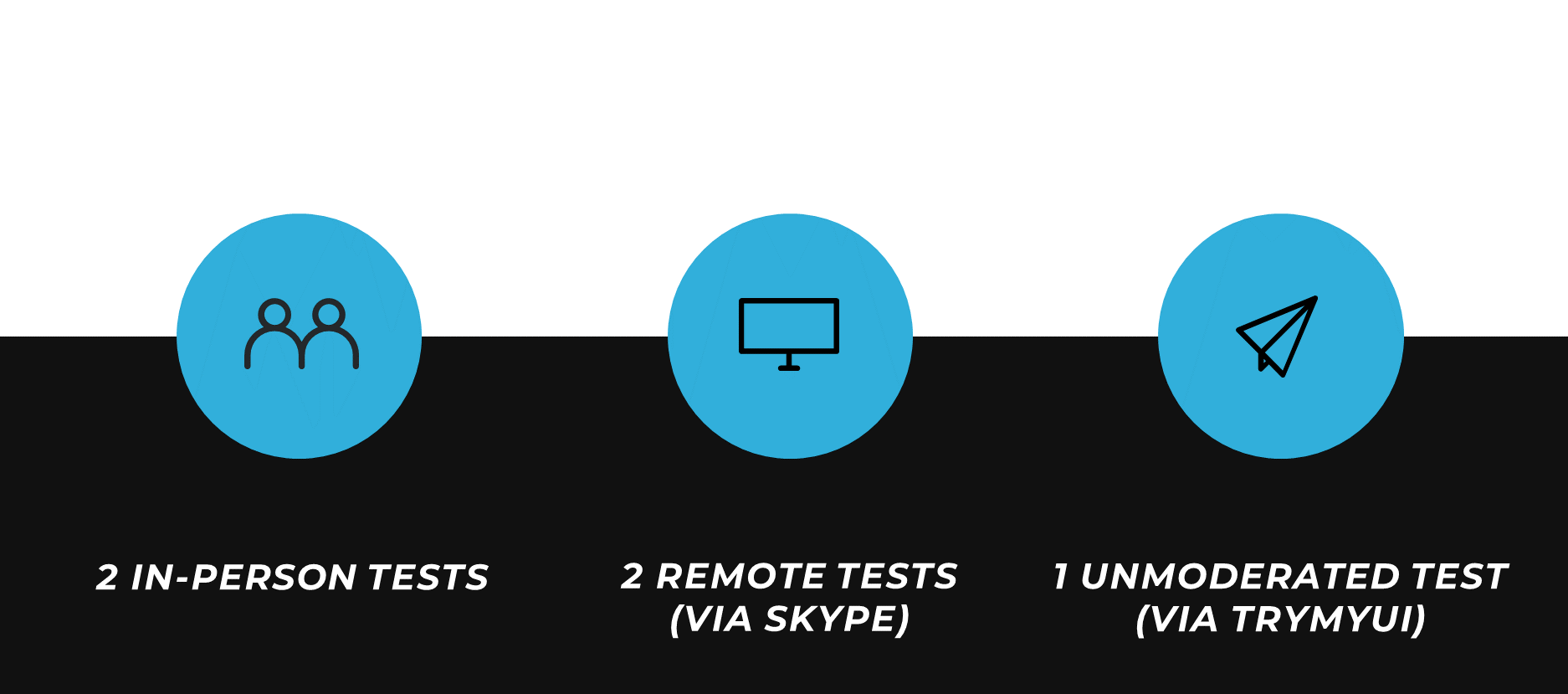
I screened all of my participants to ensure they had relevant gym experience.
To assess functionality and aesthetics, I asked participants to complete 7 scenarios involving tasks unique to the use cases. I recorded each session and afterwards took notes and identified common trends. From these, I summarized issues and hypothesized solutions.
Analysis Reporting
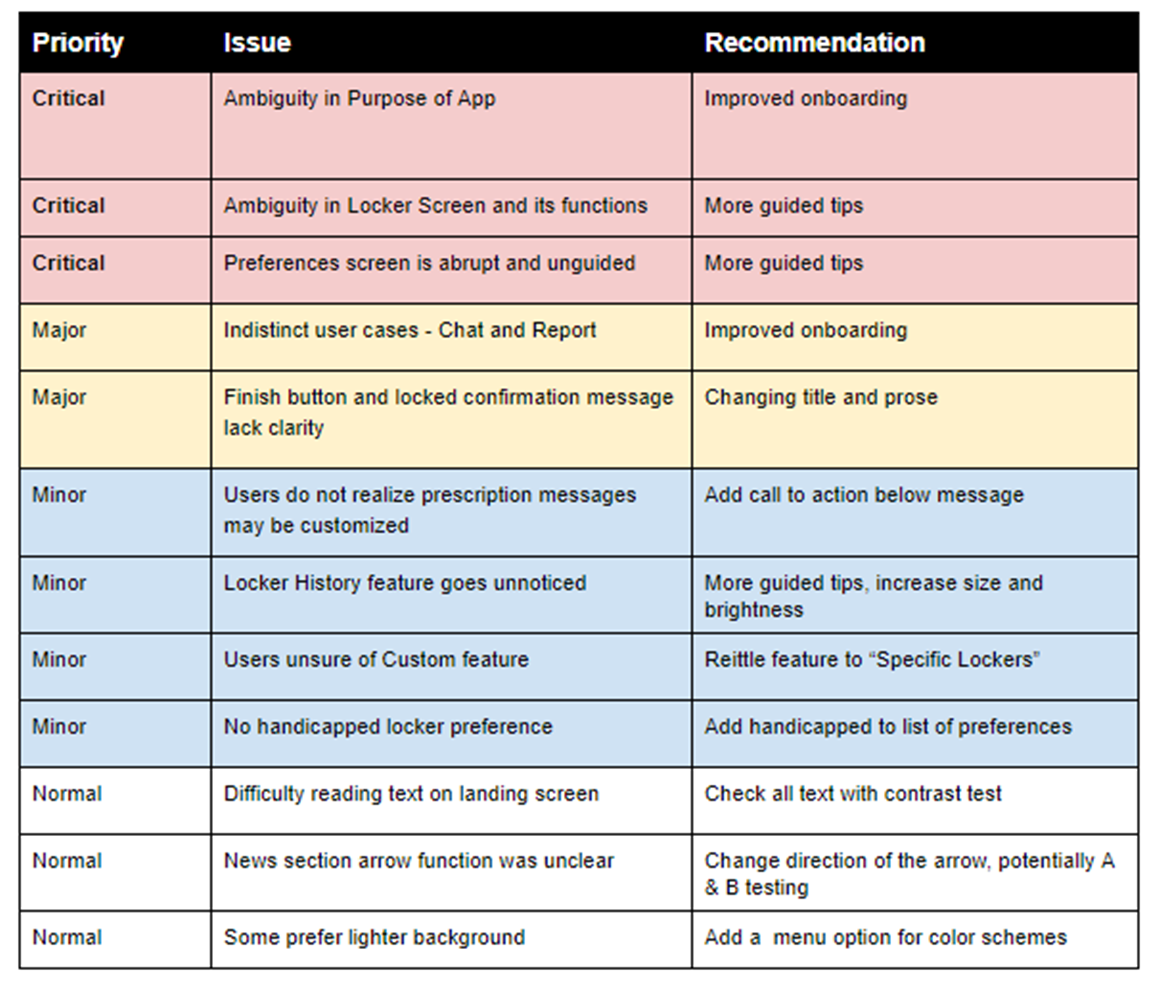
For a comprehensive evaluation, I wrote summaries and recommendations on each issue. Resolving every problem wouldn’t be efficient for the MVP so I evaluated in terms of my user stories, graded on a severity, and then focused only on critical and major issues.
Major Opportunities
Preferences screen was abrupt and lacked guidance
Exiting a locker and the related confirmation messages confused users
“Chat” and “Report” were too similar; users were left divided
Overall purpose and direction was unclear; tips were insufficient
My general feeling was that better comprehension would improve all critical/major issues. To this end, I integrated an expansive on-boarding sequence while improving the clarity of tips and prompts.
Iterate
After refining the mock-ups, I was ready to see how users would benefit from the improvements. I recruited 5 new participants and completed another round of testing.
Users understood the purpose and functions of the app much better; however, in doing so it became clear that several of the app’s functions were overly detailed or unwanted by the user. The on-boarding particularly was far too involved.
Major Successes
Improved comprehension of functions
Major Opportunities
“Chat”/”Report” fundamentally too similar
Preferences overly complicated, unnecessary
Browse-by-map not used, not wanted
Guidance verbose and exhausting
Epilogue
I have many ideas for the future of the project! It took some tweaking to find out which features users really wanted. The app is still trying to find the sweet spot between easy and useful. As always, the design is never finished.
Future Research
Nesting “Report” within “Chat” as an auxiliary function
Removing the unwanted browse-by-map option
Truncating the on-boarding and removing the find-a-locker guidance
Reworking features to do more for less (removing preferences, matching to a least crowded locker)
Lessons Learned
Balancing use and ease is not obvious
What makes sense or is useful to the designer can be very much the opposite for the user
Give users plenty of time to react
A tiny bit of awkward silence goes a long way - users sometimes need a second to think
Research is critical
Suspend belief in the problem space until it is thoroughly researched
Start with less function, build to more
Better to invest in the bare minimum than waste time on features users might not want
Start with more instruction, build to less
Without a clear idea of what they are doing, users will guess and insight will be lost